TechDeck SPL
Level matching for touring sound. For iPhone, iPad and Apple Watch.
View on the App StoreSupport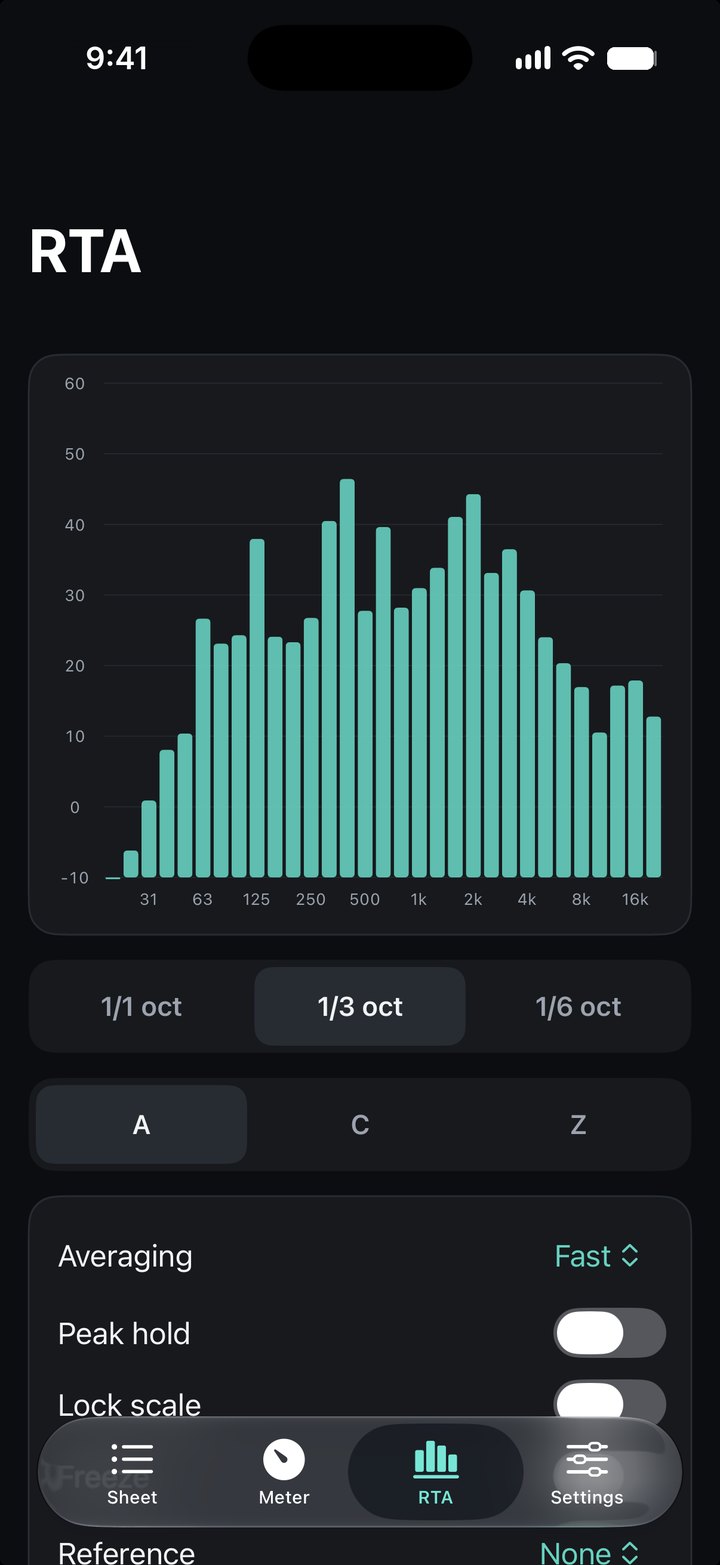
TechDeck SPL gets a touring sound system back to its reference levels in every new venue, fast.
Measure once at your reference stop and save the targets: Main L 76 dBA from center orchestra, subs, onstage FX, whatever you check. At each new venue, open a row and TechDeck SPL shows the difference from target in huge type, green when you're within tolerance. Trim at the console until it's green, then move to the next row.
From the reference stop to every stop after
- Level sheetsSource, position, target, weighting, response and tolerance for every check, per show.
- CaptureAverage the live reading and save it as the target, along with the room's spectrum.
- Match modeThe difference from target in huge type, green inside your tolerance.
- QLab pink noiseEach row starts its QLab cue; moving on stops it. Stop all cues from the QLab badge.
- MeterA, C and Z weighting, Fast and Slow, with Leq, max, min, peak and a settled reading.
- RTA1/1, 1/3 and 1/6 octave bands, with your reference stop's spectrum as an overlay.
- Apple WatchLive level and difference on your wrist, with Previous, Next and Stop cue.
- CalibrationAgainst a reference meter or a calibrator, with USB measurement mics and correction files.
- Venue logWhat every row landed at, exportable as CSV.
- Share a showSend a show's targets to another phone over AirDrop.
Questions
What is TechDeck SPL for?
Getting a touring sound system back to its reference levels in each new venue. You measure once at the reference stop and save the targets, then at each venue the app shows the difference from target in large type, green when you're within tolerance.
Can it play pink noise from QLab?
Yes. Give each row a QLab cue number: selecting the row starts the cue and moving on stops it. The app finds QLab on the network automatically.
Does it have an RTA?
Yes, in 1/1, 1/3 and 1/6 octave bands, with the spectrum captured at your reference stop as an overlay so you can see how a room differs.
Can I use a measurement microphone?
Yes. It works with the built-in mic, USB measurement mics and audio interfaces, can be calibrated against a reference meter or a 94/114 dB calibrator, and loads UMIK-style correction files.
Does it work on Apple Watch?
Yes. The watch shows the live level and the difference from target, with Previous, Next and Stop cue controls.
Is it a certified sound level meter?
No. TechDeck SPL is a practical level-matching tool, not a certified Class 1 or Class 2 meter. Use a certified meter for compliance measurements.
Private by design
No accounts, no analytics, no tracking. The microphone is analyzed on your device and never recorded. Privacy policy
TechDeck SPL is a practical level-matching tool, not a certified Class 1 or Class 2 sound level meter.
TechDeck SPL is an independent app and is not affiliated with or endorsed by Figure 53. QLab is a trademark of Figure 53, LLC.